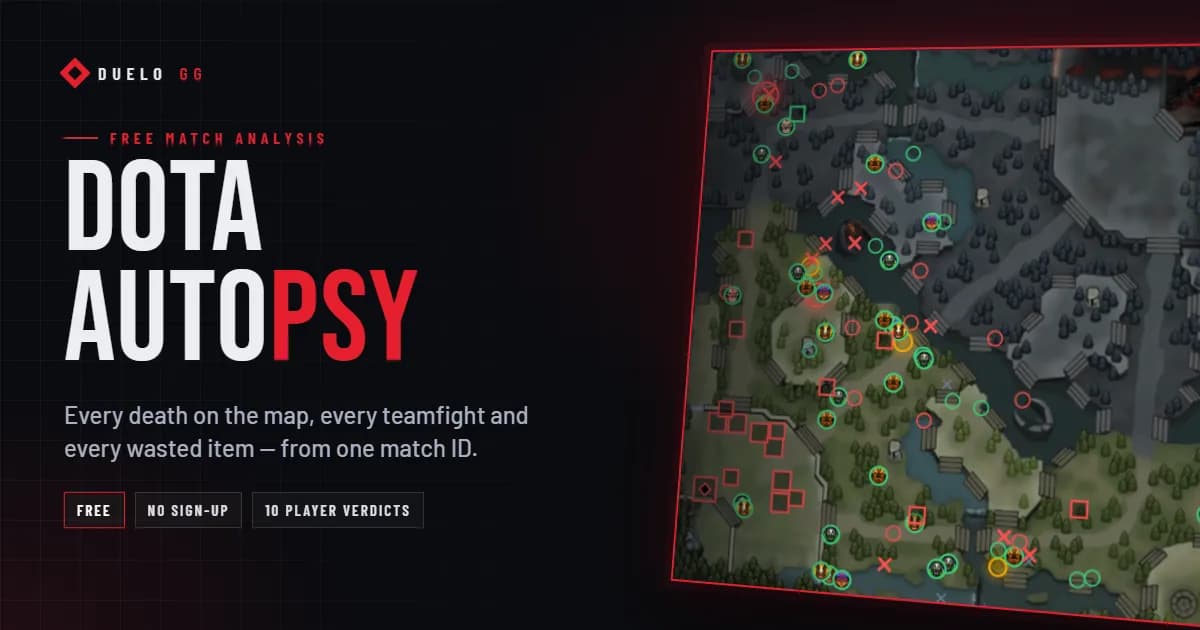
You lost, the scoreboard says 2/9/4, and the post-game screen doesn't explain why. Was it the lane? The fight at Roshan? The Blink Dagger you bought and never used? Dota Autopsy on duelo.gg answers that for free: paste a match ID and get the whole game taken apart.
No account, no download, no subscription — just the ID.
What Dota Autopsy is
Dota Autopsy is a free Dota 2 match analysis tool. It reads the match data and builds a report with five tabs: overview, players, map, fights and team report. Every verdict on a player is decided by fixed rules in our engine, not by an AI's mood. AI only comes in when you ask for it — and even then the model gets the finished numbers and explains what to do about them.
Try it here: Dota Autopsy.
How to find your match ID
The match ID is a long number, for example 9107983470. There are two easy ways to get it:
- In the Dota 2 client: open your profile, go to recent matches and open the game — the ID is shown in the match details.
- From any stats site link: a Dotabuff, OpenDota or STRATZ match URL ends with the same number.
Paste it into the field and press Analyze. The match has to be public. If the replay is still being processed, the page shows the real stage and keeps checking by itself — usually it takes a few minutes for a fresh game.
What the analysis shows

Overview
Up to six tiles with the key moments of the game: the decisive fight, the biggest gold swing, the first tower, who died the most and who placed the most wards. Under them sits the gold and experience advantage curve.
Players
Pick any of the ten players to see their build, an item audit and hero percentiles. Instead of a vague "low farm" you get something like "GPM below 78% of players on this hero". The item audit shows gold spent on items that sat in the bag and actives that were never pressed.
Map
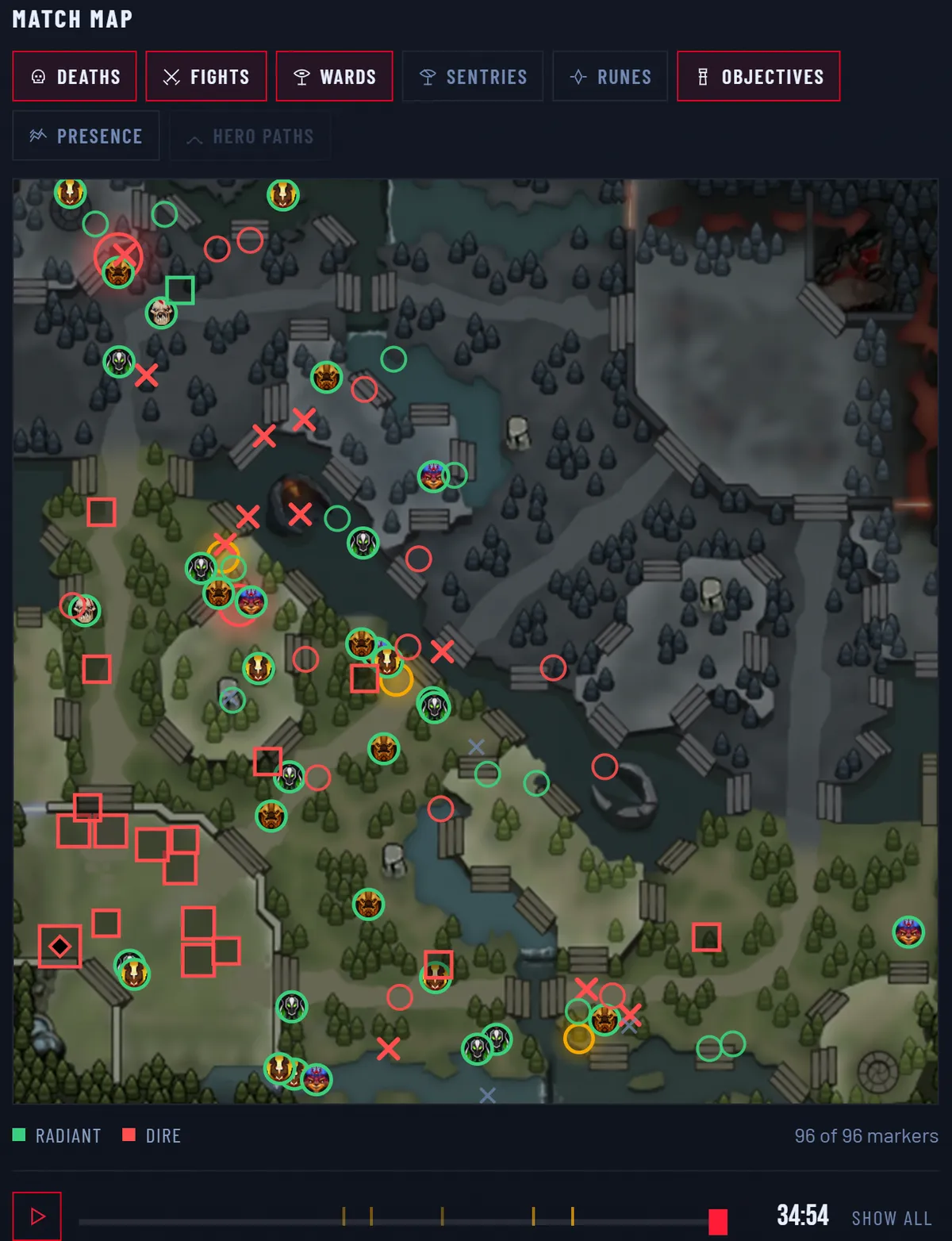
Every death, ward, rune and objective on the map, with the hero portrait and the minute. Layers can be switched on and off, and a timeline scrubber lets you replay the match minute by minute. When replay data is available, a presence heatmap shows where each hero spent the laning phase, the mid game and the late game.
Fights
All teamfights on one timeline. For each fight you see who won it, how much gold changed hands, each hero's share of the damage, which spells they cast and whom they killed. If a hero had their ultimate by level and never pressed it, the fight says so.
Report
The draft and a report on each team as a whole — useful when the problem wasn't one player but the five of you.
Example: the turning-point fight at 26:36 in an Immortal game
For this example we took a public match, 9107983470, with an average rank of Immortal. Dire won 35–11 in 34:54. The overview pointed straight at the decisive fight at 26:36: four deaths, a 2,677 gold swing and a tower for Dire.
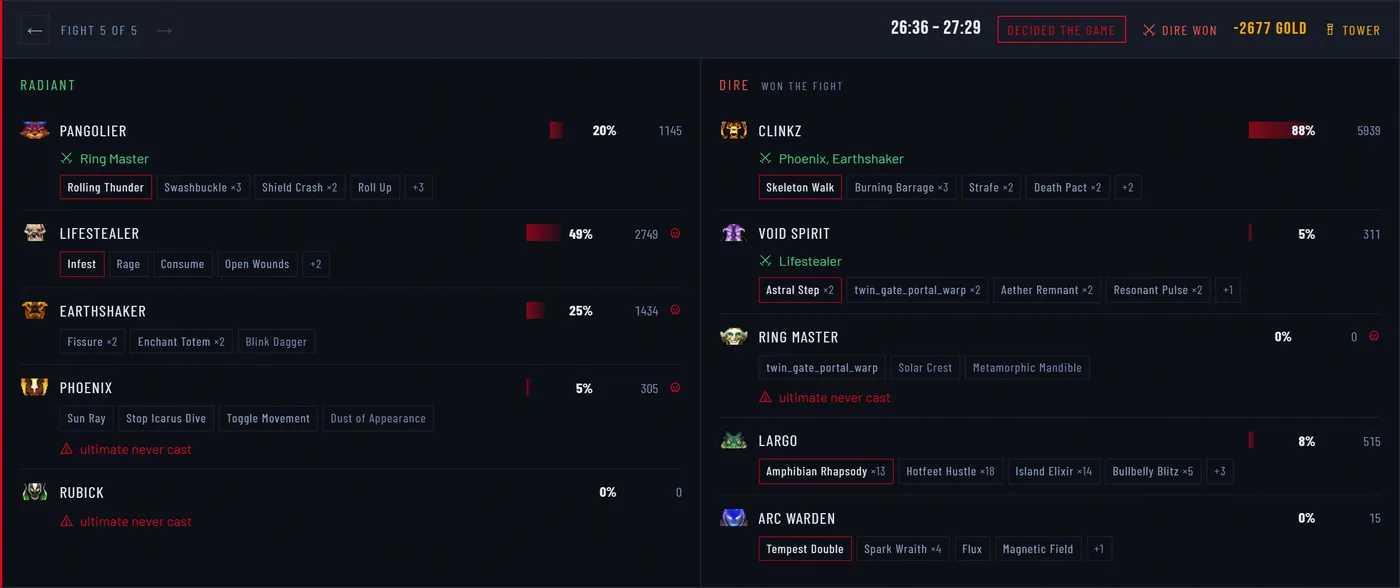
The fight tab tells the story in one screen: Clinkz dealt 88% of Dire's damage in that fight and picked up two kills, while on Radiant two heroes finished the fight without casting their ultimate. That is exactly the kind of thing you never notice from the scoreboard.
Why you might see "Match not found"
The tool can only analyze matches that are public and already known to match statistics services. Usually the reason is one of these:
- the match is very fresh — wait a few minutes and try again;
- the ID has a typo — copy it straight from the client or a stats site link;
- the match data is not public.
From analysis to duels
Once you know your numbers, put them on the line. On duelo.gg you can challenge a friend to a Dota 2 duel based on real match stats — GPM Race, Net Worth, KDA, Kill Challenge and more. Your next public match decides the winner.
Open Dota Autopsy, paste your last match ID and see what really happened.